
Go to Windows platform Display platforms icon
Go to Windows platform Go to Mac platform Go to Android platform Go to iOS platform
PDF-XChange Editor icon

PDF-XChange Editor

11.0.1.0
Dev Onboard
5 3 reviews
41.3 k downloads
security security

A comprehensive PDF viewer and editor for Windows

Advertisement
Remove ads and more with Turbo
Advertisement
Remove ads and more with Turbo
Merche Contreras icon
Reviewed by
Merche Contreras
Content Editor
Merche Contreras is part of Uptodown's in-house Editorial Team. Translated by Uptodown Localization Team

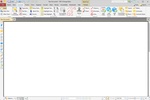
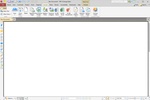
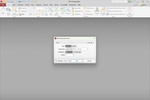
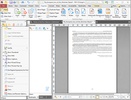
PDF-XChange Editor is an advanced and comprehensive tool for viewing, editing, and creating PDFs on Windows. This software stands out for offering many useful features, making it a robust alternative to other PDF editing tools. With an intuitive interface, PDF-XChange Editor allows users to edit text, add comments, annotate, sign documents, and export PDFs in different formats. The tool also supports optical character recognition (OCR), which converts scanned documents into editable files. Its fast and light performance makes it ideal for both standard users and professionals who frequently need to work with PDFs. Download PDF-XChange Editor for free and work with your PDFs in a comprehensive, detailed, and secure way.

Advanced text and picture editing

PDF-XChange Editor offers a wide range of editing tools, allowing you to edit not only text but also graphics, images, and other elements embedded in a PDF. Add or remove text sections, change fonts, colors, and styles, and move or resize images. Moreover, the tool can perform these edits accurately without altering the document's structure. Additionally, you can insert, rearrange, or delete entire pages within a PDF, making it a flexible tool for managing and structuring complex documents.

Advertisement
Remove ads and more with Turbo

Annotations and comments

PDF-XChange Editor lets you add annotations and comments to your PDFs, making collaborating and reviewing texts easier. Annotation tools include highlighting, underlining, sticky notes, shapes, and freehand drawings, allowing you to highlight important parts of your document or add suggestions. These options are particularly useful in collaborative work environments, where several users must review and provide feedback on a shared document. In addition to this, all annotations can be efficiently managed through the comment summary feature, which groups all markings made for quick review.

Information about PDF-XChange Editor 11.0.1.0

Basic information

Developer Tracker Software Products Ltd
Category Photo Editors
Rating +3
Languages English
47 more

Distribution model

Pricing Trial
License Proprietary
Copyright © 2026 Tracker Software Products Ltd
Why is this app published on Uptodown? (More information)

Security and privacy

Required permissions Not applicable
See security and antivirus report

Download info

Downloads 41,308
Date Jun 11, 2026
File type ZIP
Size 421.32 MB
SHA256 60b7f2f8eab1955cf7b4138b8cba1394ee21bc701a151fa5e9e23e004a96ee04
Advertisement
Remove ads and more with Turbo

Older versions

See more
msi 11.0.0.0 May 15, 2026
msi 10.8.5.410 Apr 25, 2026
msi 10.8.4.409 Feb 27, 2026
msi 10.8.3.408 Feb 24, 2026
msi 10.8.2.407 Jan 9, 2026
msi 10.8.0.405 Dec 19, 2025

Rate this App

Review the app
PDF-XChange Editor icon

Rating

5.0
5
4
3
2
1
3 reviews

Comments

wildbluecrocodile57613 icon
wildbluecrocodile57613
10 months ago

That PDF-XChange Editor is exactly I was looking for! Works as Adobe, even better in many points. And I love its price

Like
Reply
freshorangechimpanzee35005 icon
freshorangechimpanzee35005
in 2025

I used PDF-XChange Pro for free, but it crashed after a week. Then I searched and found the Odosta store, which I believe is a legitimate Microsoft site due to its after-sales service.

4
Reply
Advertisement
Remove ads and more with Turbo
DaVinci Resolve icon
The most powerful and complete post-production video tool for PC
Adobe Photoshop Lightroom icon
Edit your digital pictures with this elegant tool
Adobe Photoshop icon
Professional photo editing from Adobe
Adobe Illustrator icon
Create logos, illustrations, and designs with this powerful editor
Paint 3D icon
Create 3D designs with all kinds of features
CorelDRAW icon
One of the best options for graphic design
Paint.NET icon
A powerful and free image editor
Amuse icon
Generate visual content with AI locally
ABBYY FineReader PDF icon
Digitize your documents quickly
Stirling PDF icon
Manage and edit your PDFs with all these tools
Foxit PDF Editor icon
Edit content in any PDF file
Master PDF Editor icon
The ultimate tool for working with PDFs
PDFsam Basic icon
Split, merge, or rotate PDF files
PDF Arranger icon
Manage your PDF documents with ease
PDF Architect icon
Easily edit PDFs on Windows
FixVare PST to PDF Converter icon
FixVare PST to PDF Converter simply transfer Outlook PST emails in PDF
Adobe Acrobat Reader DC icon
Read, print and browse PDF documents
Foxit PDF Reader icon
PDF Reader filled with innovative features
Sumatra PDF icon
Lightweight, powerful and free PDF reader
Foxit PDF Reader Portable icon
Read Any PDF Document without Needing to Install Anything
MuPDF icon
A simple, fast PDF reader
VeryPDF PDF Editor icon
A powerful PDF editing tool
PDFix Desktop Pro icon
Free PDF Reader and PDF Accessibility Checker with PDF/UA Validator.
WorkinTool PDF Converter icon
Convert your documents to PDF and merge them
DaVinci Resolve icon
The most powerful and complete post-production video tool for PC
Picasa icon
Organize and view all your pictures easily
Adobe Photoshop Lightroom icon
Edit your digital pictures with this elegant tool
Adobe Photoshop icon
Professional photo editing from Adobe
Adobe Illustrator icon
Create logos, illustrations, and designs with this powerful editor
ibis Paint icon
Unleash your imagination in this drawing app
SketchUp Pro icon
Easy, fast 3D modeling tool
Paint 3D icon
Create 3D designs with all kinds of features